On-device beat map
Tempo drift, downbeats, hits, sections and energy are computed locally. Every cue is keyed to real beat times, so drops land on the drop.
Sound in. Cinema out.
Describe the video you want. Motion Glass maps the beat on-device, directs a storyboard with your own AI model, and renders a beat-synced MP4 natively on your Apple silicon Mac.
See it in motion
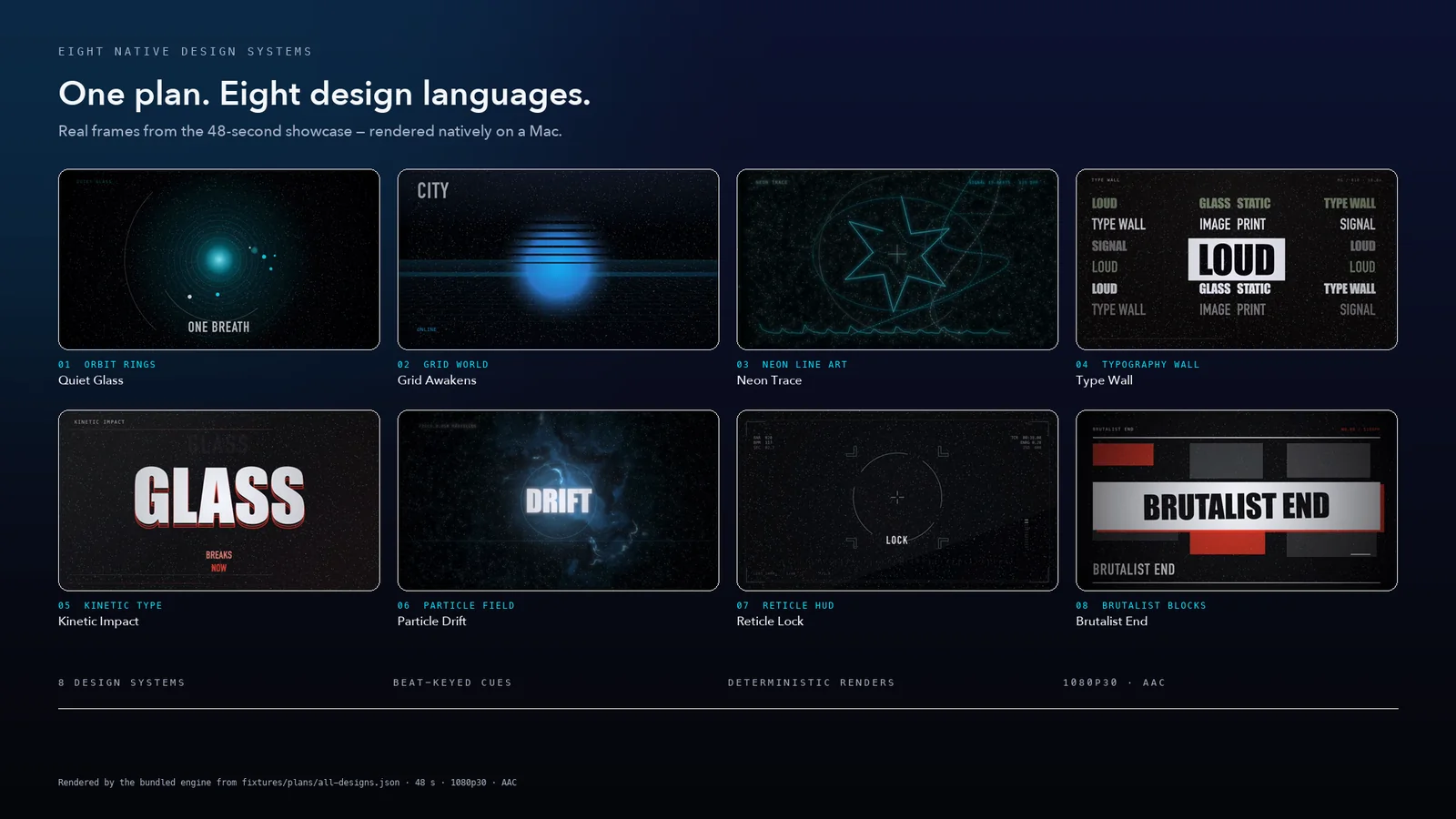
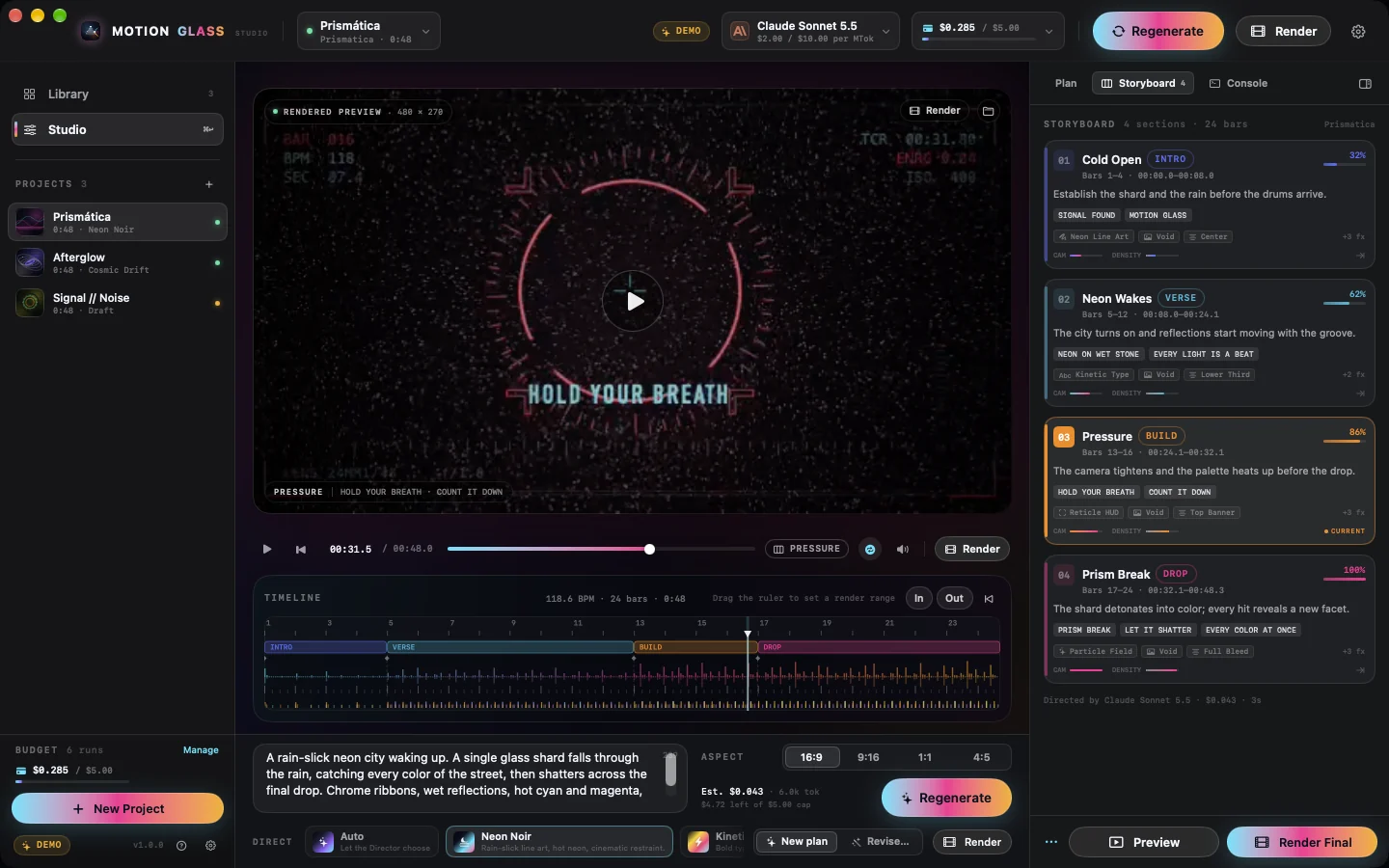
Eight native design systems keyed to the beat of one song, rendered by the bundled engine from a single deterministic plan. No cloud, no stock footage — and in the app, finals can mix procedural sound design under the song, synthesized locally.
How it works
No timeline archaeology, no keyframing by hand. You bring the song and the idea; Motion Glass handles the beat map, the direction and the render.
Your song is decoded and mapped on-device: tempo with drift, downbeats and bars, kick/snare/hat attacks, sections and band energy — a musical ground truth nothing is guessed from.
One prompt — or a style preset — goes to your own Anthropic or OpenAI model, which returns a validated storyboard: palette, motif, section-by-section design, type and effects.
A deterministic Swift composer turns the plan into motion, keyed to real beat times. The renderer mixes your audio with a locally synthesized sound-design pass, then exports an MP4 — previews, stills, 1080p or 4K60 — on your Mac.
Features
Tempo drift, downbeats, hits, sections and energy are computed locally. Every cue is keyed to real beat times, so drops land on the drop.
The Director returns a versioned creative plan — motif, palette, per-section copy and effects — not a random pile of filters.
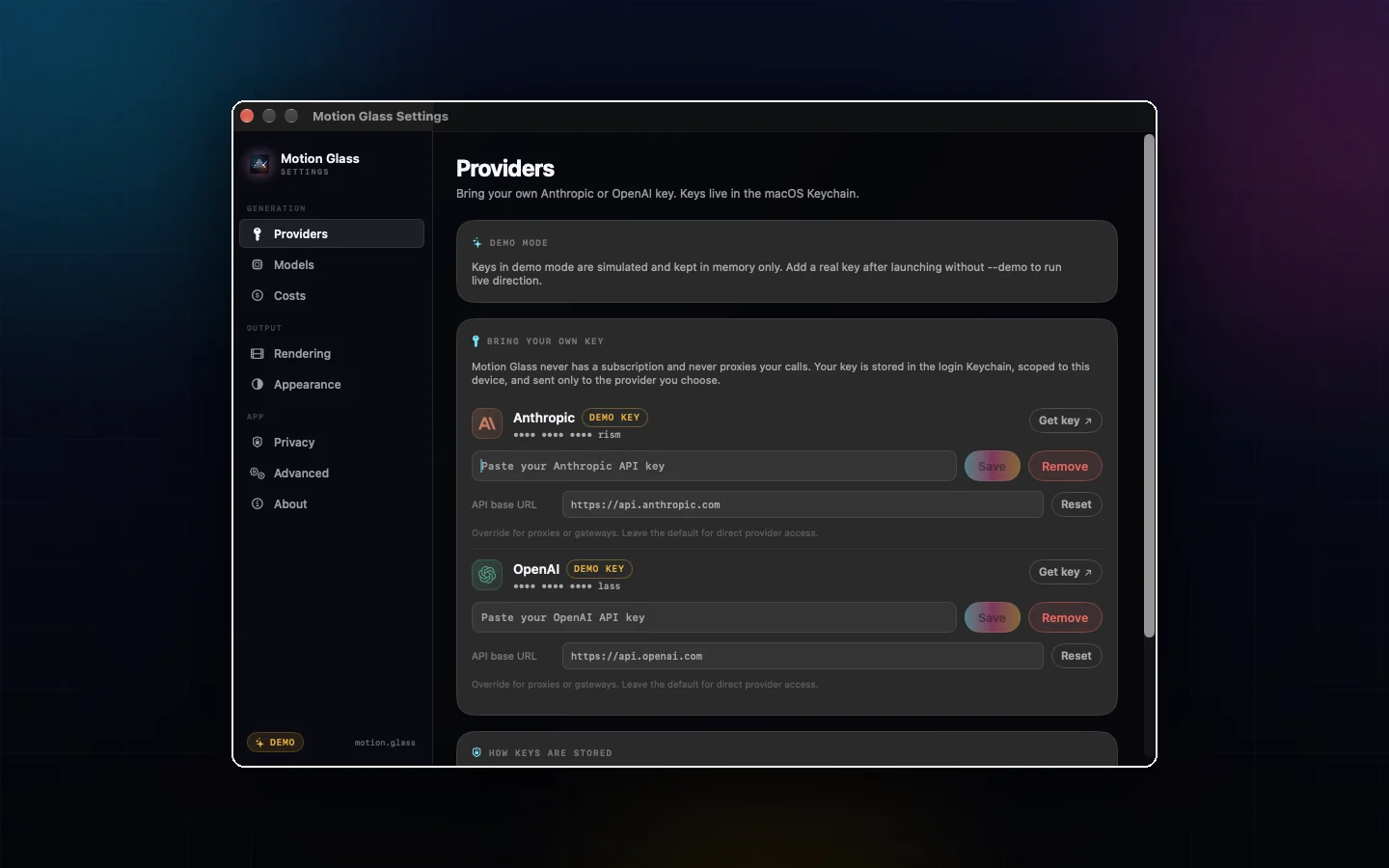
Your Anthropic or OpenAI key lives in the macOS Keychain. No account, no subscription, no markup. Point it at a gateway if you want.
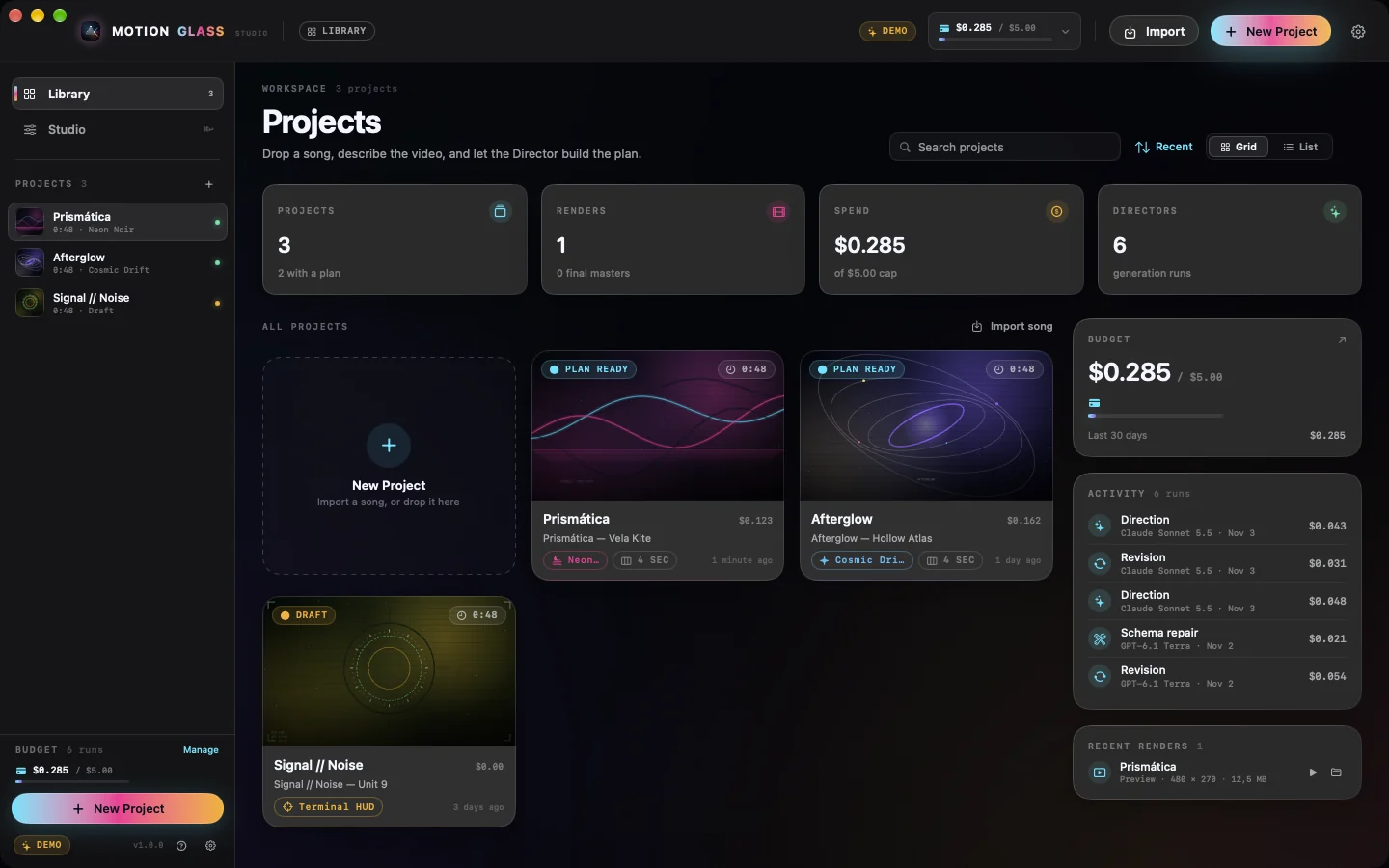
One-time purchase, no subscription. See the AI estimate before every generation, the real cost after it, and a running ledger. Set a budget cap and the app stops before overspending.
Swift 6 with Core Graphics, Core Text, Metal and AVFoundation, built for macOS 26 on Apple silicon. No Electron, no headless browser — previews are fast and 4K masters are real files.
Every frame is a pure function of plan, analysis, time and seed. Re-render and you get the same video — previews match finals exactly.
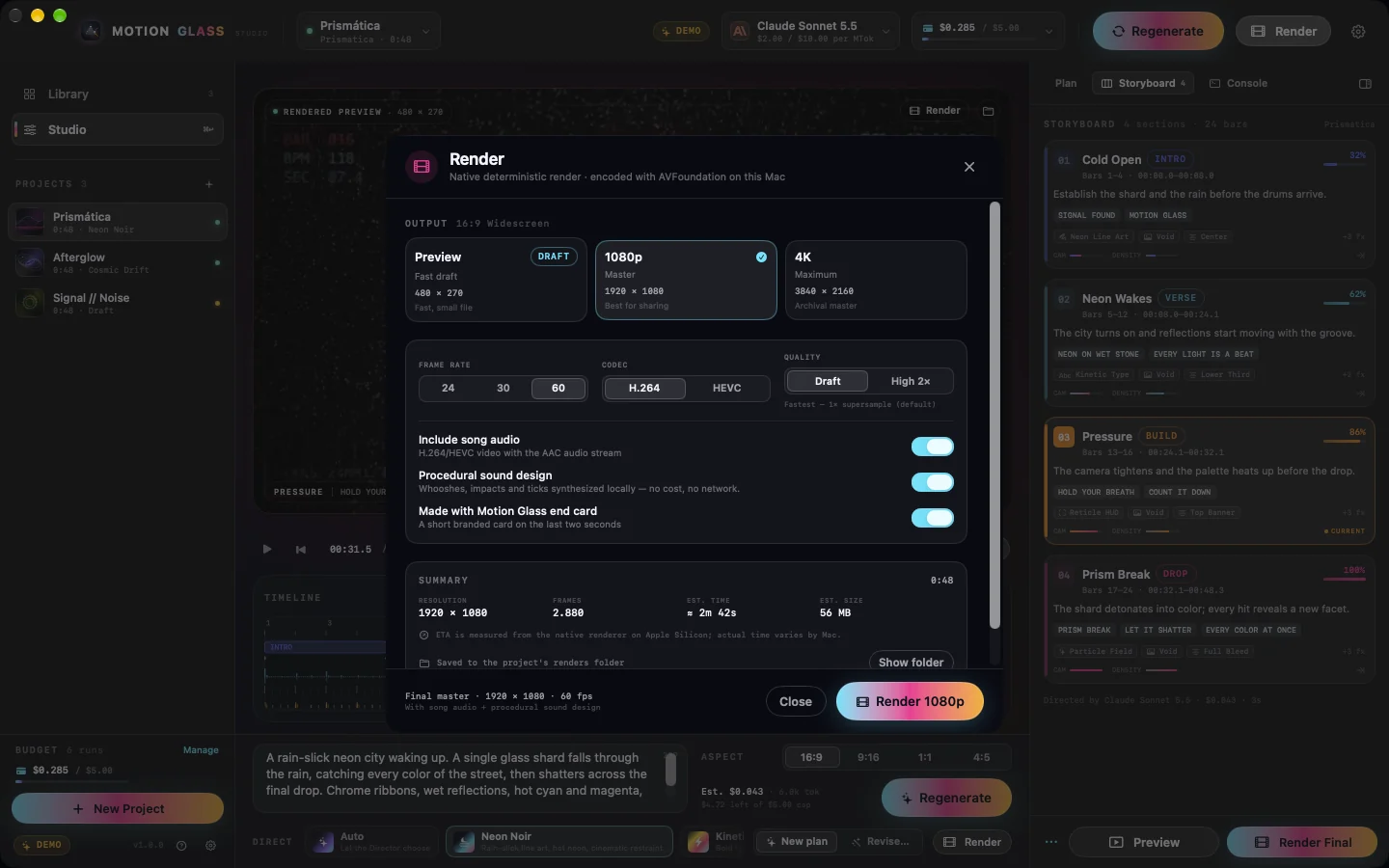
Whooshes crest on section changes, risers end on the drop, impacts hit with the kicks, ticks follow type reveals — synthesized on your Mac and mixed under the song. Toggle per render; no sample library, no network, no extra cost.
16:9, 9:16, 1:1 and 4:5. Preview, still or master at up to 4K60 in H.264 or HEVC, with audio muxed in.
Models and prices refresh from a remote catalog and the providers' APIs, so new models appear without an app update.
Screenshots
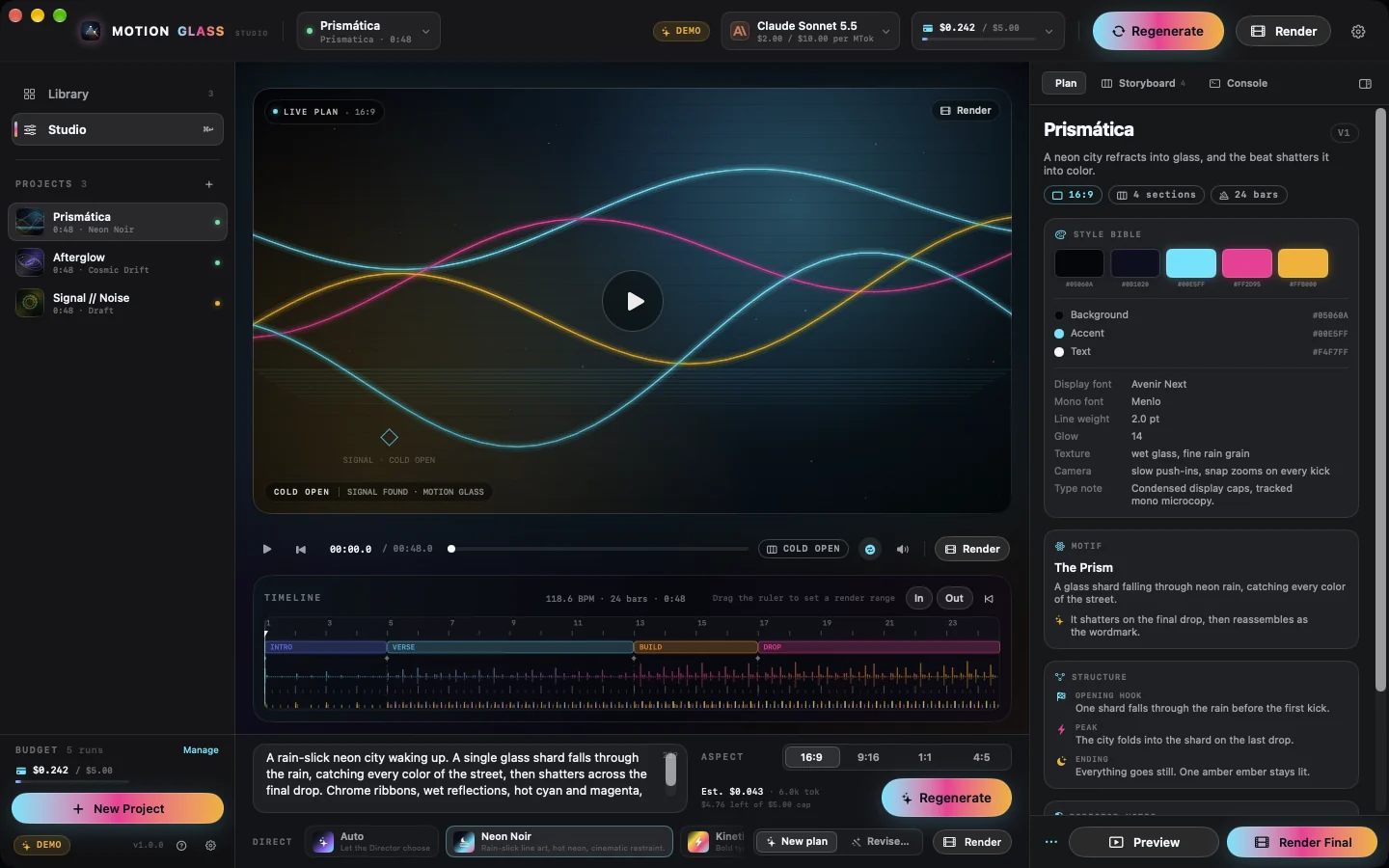
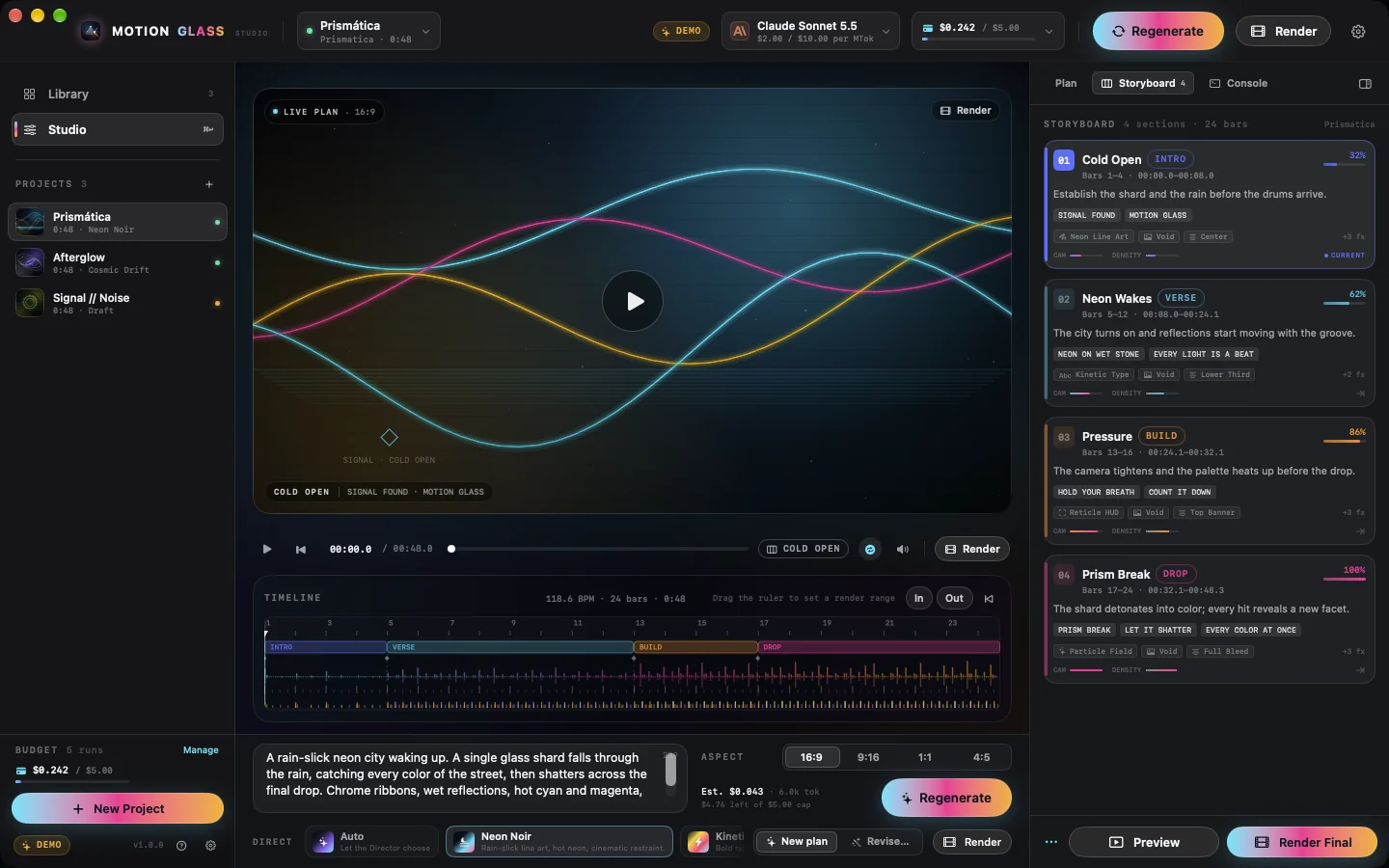
Real captures from the built app in demo mode — no mockups. The demo badge and masked demo keys are intentional; no real API keys are used.
Privacy
Motion Glass has no servers, no accounts and no analytics. The only network request it makes is the one you configure: to the AI provider you chose.
Pricing
Motion Glass is a paid, one-time purchase on the Mac App Store — coming soon; the price is shown on the listing at launch. There is no subscription and no account. Separately, you bring your own Anthropic or OpenAI key and pay only your provider for direction passes; prices refresh from the live catalog, and rendering runs locally, so previews don’t cost extra AI tokens.
| Model | Input / 1M tok | Output / 1M tok | Typical pass* |
|---|---|---|---|
| Claude Haiku 5.5 | $0.10 | $0.50 | < $0.01 |
| GPT-6 Luna | $0.10 | $0.50 | < $0.01 |
| Claude Sonnet 5.5 | $2.00 | $10.00 | ≈ $0.08 |
| Claude Opus 5.5 | $4.00 | $20.00 | ≈ $0.17 |
| GPT-6.1 Sol | $2.00 | $10.00 | ≈ $0.08 |
| GPT-6 Astra | $10.00 | $50.00 | ≈ $0.42 |
*Typical AI cost for one Director call on a 3–4 minute song, assuming roughly 12k input and 6k output tokens before cache. These are provider list prices, not the app price — Motion Glass itself is a separate one-time purchase. Your actual usage and provider rates apply. Set a budget cap in Settings → Costs and the app refuses any generation that would exceed it.
FAQ
Yes — Motion Glass is bring-your-own-key. Paste an Anthropic or OpenAI key in Settings and the app uses it only to call that provider. There is no account, no subscription and no key ever sent to us.
No. Your song is decoded and analyzed on-device and stays on your Mac. Only your prompt, a compact summary of the song's structure and the design vocabulary are sent to your chosen AI provider.
Two things: the one-time app purchase, and your AI provider’s bill. A direction pass is typically under a cent on Claude Haiku 5.5 or GPT-6 Luna, and roughly 8–20 cents on Sonnet- or Opus-class models. Rendering runs locally, so previews don’t cost extra AI tokens.
Yes, optionally. Motion Glass can synthesize a procedural sound-design layer — whooshes on section changes, risers into drops, impacts on the drop and strongest kicks, keystroke ticks on type reveals, shimmer and glitch on specific designs — and mix it under your song. It is generated locally from the plan and beat map: no sample library, no network and no extra cost. It is on by default in the render sheet; toggle it per render for a song-only mix.
Motion Glass is a paid, one-time purchase on the Mac App Store — coming soon; the price is shown on the listing at launch. There is no subscription and no account. Separately, you pay your AI provider directly for the generations you run, and rendering runs locally so previews don’t cost extra AI tokens.
It is in active development and coming soon to the Mac App Store. Follow @MotionGlassApp or check back here for the launch.
A Mac with macOS 26 or later on Apple silicon (M-series) and an Anthropic or OpenAI API key. Xcode 26 or later is only needed for development builds.
Anthropic (Claude) and OpenAI models. The catalog is refreshed remotely and merged with the providers' own model lists, so new models and price changes reach the app without an update. A bundled snapshot keeps it working offline.
The app adds no watermark to your rendered videos. You are responsible for the rights to your music and for your AI provider’s terms. An optional “made with Motion Glass” end card can be turned off.
No. Motion Glass is proprietary software by iCoreTech, Inc., distributed through the Mac App Store under Apple’s Standard End User License Agreement and our terms. The app may not be copied, modified or redistributed.
Coming soon
Motion Glass is a paid, one-time purchase on the Mac App Store — coming soon. Apple silicon only, BYOK, no subscription and no account.